
Airtable - Supervillain Henchman Roster
Project 4, the Sandwich Architect was about moving away from static lists. While grouping is useful for sorting data, I wanted to see how Airtable handles workflows. To test this, I set up a "Henchman Roster" to track the status of evil-minded team members.
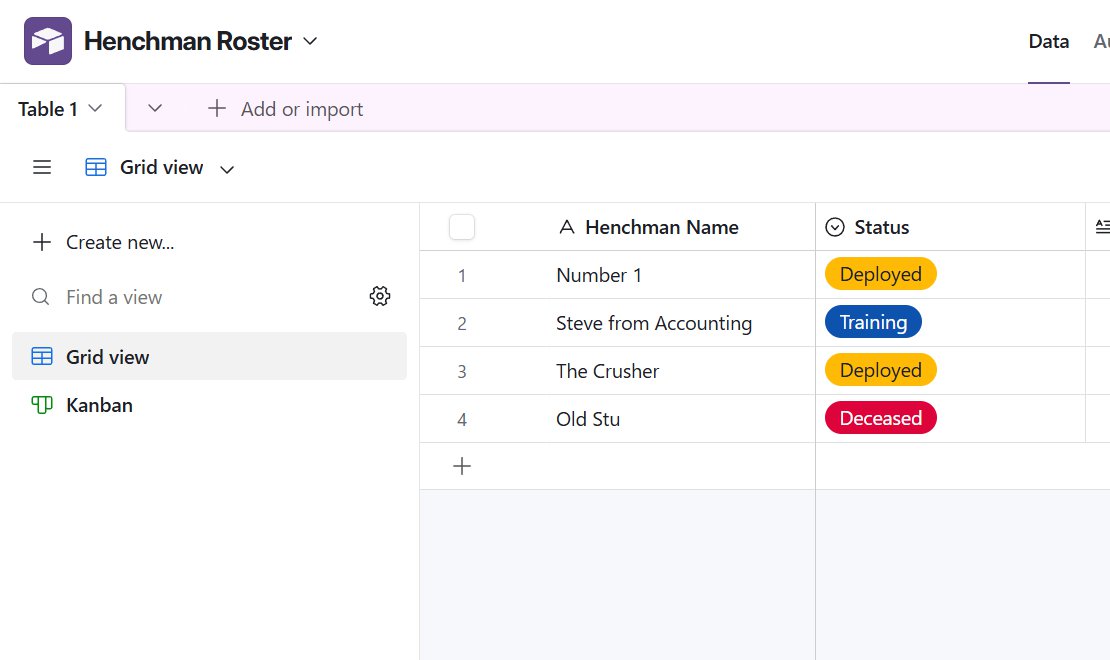 Supervillain Henchman Roster
The Setup
I created a basic roster with names like "Number 1" and "Steve from Accounting," then added a Single Select field for their current status: In Lair, Training, Deployed, and Deceased. In the standard Grid view, this is just a list of names with colored tags. It works, but it doesn't give you a sense of how these criminals move around in their organisation.
The Kanban View
I switched the view to Kanban, which will be familiar to anyone who has used Trello. This rearranges the rows into vertical stacks of cards based on the "Status" field.
See more: 10 Easy-Peasy Airtable Experiments
To test the functionality, I added a new record, "Old Stu," and initially set his status to Deceased - poor fella. To bring him back to active duty, I simply dragged his card from the Deceased column to the In Lair column.
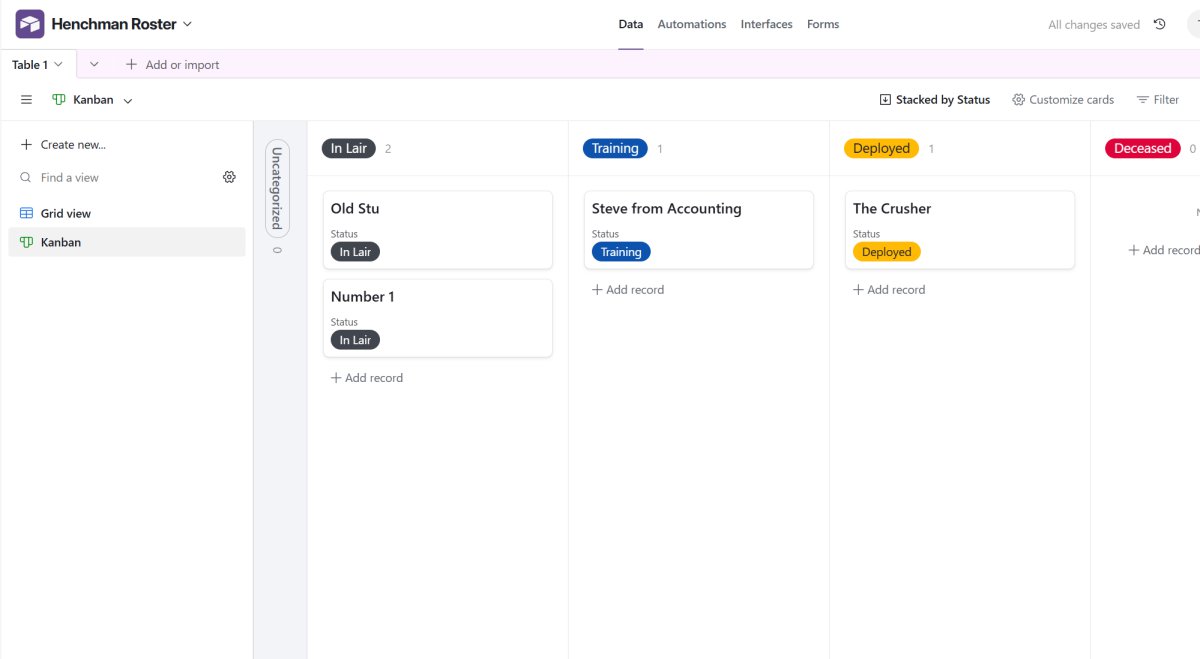 Old Stu came back to life!
Verdict
The main takeaway here is efficiency. Dragging the card updated the "Status" field automatically, saving me the step of opening the record and selecting a new option from a dropdown. It's a practical way to manage any data that moves through stages, like a sales pipeline, content calendar, bug tracker, or criminal operation!