
Airtable - Secret Double Life Expenses
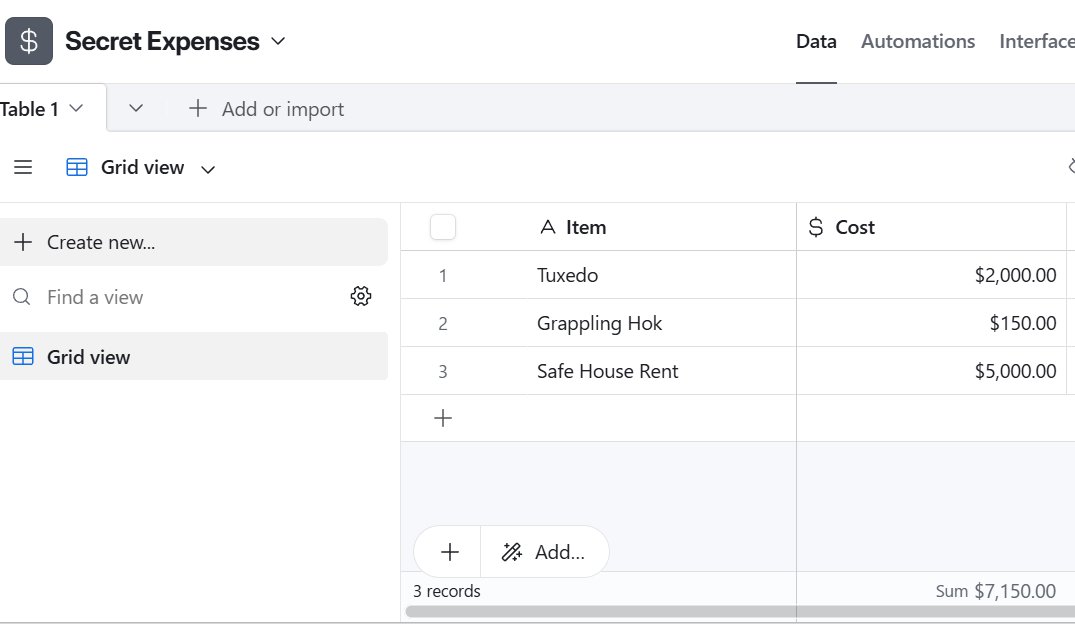
For the 6th of 10 Easy-Peasy Airtable Experiments I shifted from workflow management to basic financial tracking. I wanted to see how Airtable handles numbers and calculations compared to Excel. To test this, I set up a "Secret Expenses" base to track the costs of a double life.
 Budgeting the Secret Life
Formatting the Numbers
I started by listing assets like a "Tuxedo" and a "Grappling Hook." To track the price, I used the Currency field type.
Unlike a standard text or number field, this automatically formats the entry with the correct decimal places and currency symbol. It allows you to select your preferred currency (dollar, yen, pound, etc.) from a dropdown menu so it's consistent across the column without having to format it yourself.
The Summary Bar
The most useful feature here is kind of hard to spot. In Excel, calculating a total usually requires writing a formula like "=SUM(A1:A10)" in a specific cell.
In Airtable, this functionality is built into the interface. At the bottom of the "Cost" column, there is a summary bar. By hovering over the footer, I could see at a glance the total sum of my expenses. Clicking on it allowed me to toggle between different calculations, such as Average, Max, or Min.
Verdict
It's a small thing, but most welcome. You no longer need a "Total" row that might break if you move something around. The calculation sits outside the grid, giving you a quick snapshot of the data when you need it.