
Airtable - The Job Hunt
The Petty Grievance List lesson had me use a Single select field type for a status with only two options - Active and Forgotten. Sometimes, a simple checkbox would be enough. That's what I used to build a "Job Hunt Tracker" in today's lesson.
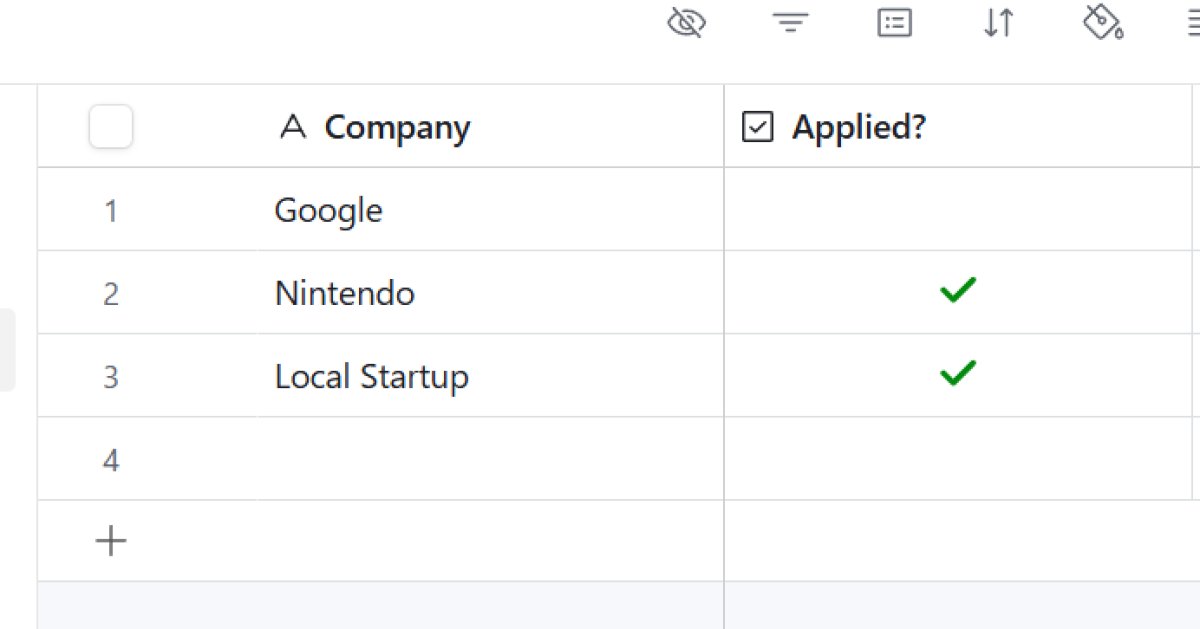 Airtable Jon Hunt Tracker
The Setup
I listed a few target companies: "Google," "Nintendo," and "Local Startup", and needed a way to track which applications I had actually sent out.
The Checkbox
I added a field called "Applied?" and selected the Checkbox type. This added a simple box next to each record.
- Nintendo? Click. (Done).
- Local Startup? Click. (Done).
- Google? Empty. (Still working on it).
See more: 10 Easy-Peasy Airtable Experiments
Verdict
It's the simplest field type I've used so far, but it's surprisingly useful. It's just a binary switch - on or off, true or false. It's perfect for simple tasks where there is no middle ground, like "Paid," "Sent," or "Completed." It saves you from having to click a dropdown menu and pick an option; you just tick the box and move on.